
- 👩🏾🦱Afro CC
- 🪑Furniture
- 🪁Kids
- 🖤Goth
- 👝Baddie CC
- 👑Royal
- 🎀Coquette Style
- 💍Accessories
- ♂️Male CC
- 💄Makeup
- 🧸Toddlers
- 📼Retro 70's, 80's, 90's
- 💪🏼Gym CC
- Maxis Match CC
- Most of April 2026
- Alpha CC
- 👰Wedding
- .✦ ݁˖Y2K
- 👟Shoes
- 👶Infants
- Female Clothes
- Tattoos
- Most of January 2025
- 👠The Devil Wears SimsFinds CC
- 🪶Historical
- Most of 2024
- Most of December 2023
- Most of 2023
- 🎤🎶K-Pop
- Decor Objects
Better BuildBuy by TwistedMexi
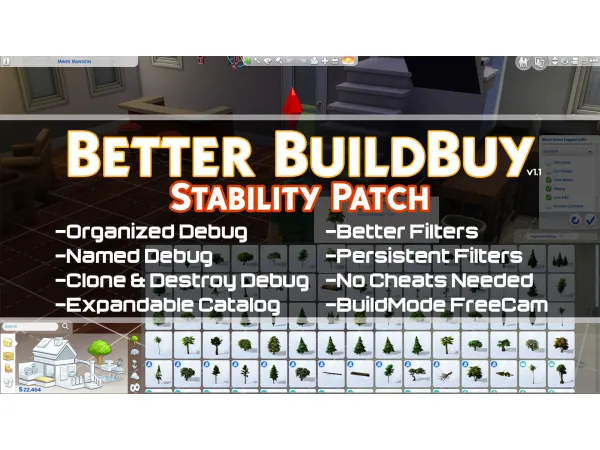
This mod brings quite a few quality of life improvements to buildbuy, here is a list of them:
[b]Organized Debug:[/b] Debug (and LiveEdit) objects are sorted into proper categories when this is on. For example, plungers and makeup are in the Bathroom Accents category now, and LiveEdit Trees are well... in Trees.
[b]Swatched Debug:[/b] Objects will now be swatched like normal objects are. This lets you use the design tool to quickly flip through the swatches as well.
[b]Named Debug:[/b] When Organized Debug is on, debug items without names are now named by their technical name. This will make searching for a particular item easier.
[b]Clone and Destroy Debug:[/b] When Organization is on, you may also clone and destroy any debug object you want. No restrictions.
[b]Organized Debug Toggle:[/b] Because there's no way to have organized debug items without it being marked as CC, I've added an in game toggle to the filters list. When you're ready to upload to the gallery, just turn it off and restart the game. You may then upload to the gallery without the CC tag.
[b]Better Filters:[/b] You can now choose to see any combination of Maxis, Debug, Live Edit, or Custom Content Objects. No more wading through CC when you just want to find a Maxis item. These filters also make the debug and liveedit objects unnecessary. Just toggle the filter on and they'll be available.
[b]Persistent Filters:[/b] Unlike normal BuildBuy, Better BuildBuy will keep your filter selections saved even if you leave BuildBuy. Content Filters are kept even if you close the game.
[b]Expandable Catalog:[/b] Two rows of objects feeling too crowded? Press the 1 key on your number row to expand it to 5. When done, just press the key once more to return to 2.
[b]BuildMode FreeCam:[/b] Love that tab camera but wish you could have it in buildbuy? That's included with Better BuildBuy as well. Just press tab while in buildmode and you'll snap right into freecam mode.
Published